6 Useful Hacks for ebook Publish in 2023
2023-07-19
Choose a legit ebook editing software/program
If you plan to write and publish an ebook, it’s best practice to pick a robust ebook editing program for your manuscript. There are plenty of ebook editing softwares/programs you can go for depending on your needs, and some of them you may already know are: Sigil, Calibre, iBooks Author, Canva, Kindle Create, MS word, Google Docs, Kitaboo, Visme, etc.
I wrote and formatted What The Hekk is HTML/CSS/JS? using Sigil which is a free open-source ebook editing software. Sigil supports all the essential features for editing and formatting your manuscript.
- export to
.epub - metadata setting
- in-program plugin
- text formatting
- media formatting (image, audio, and video)
- book view & code view
One of the features I like in Sigil is book view & code view. On importing a manuscript in Sigil, every page is rendered in book view and in code view.
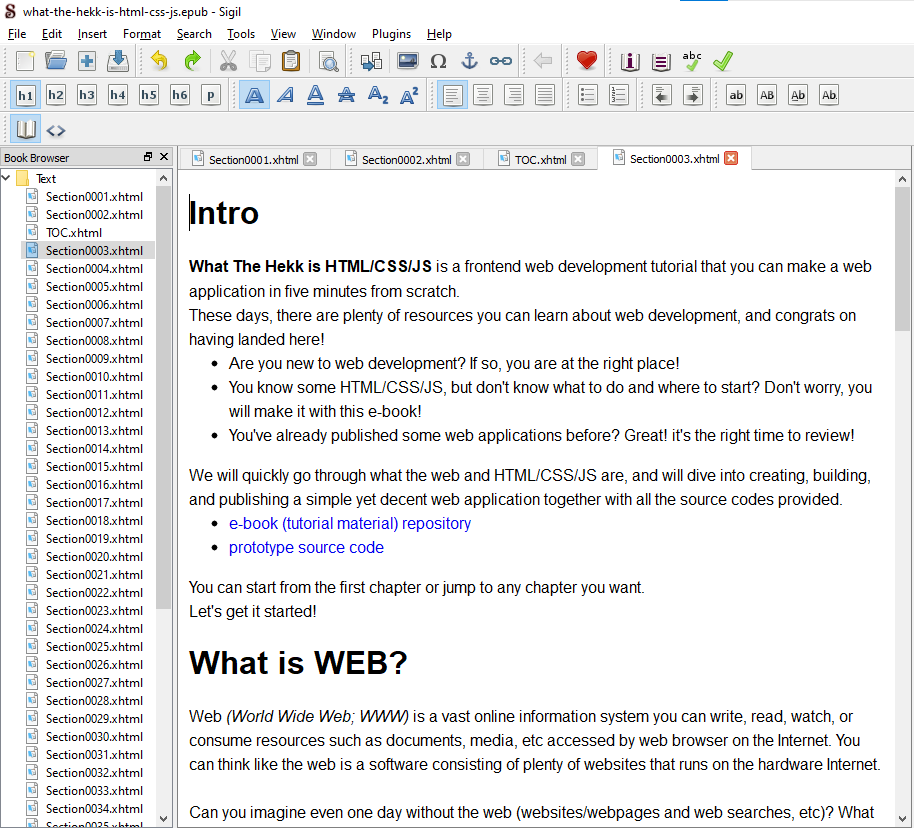
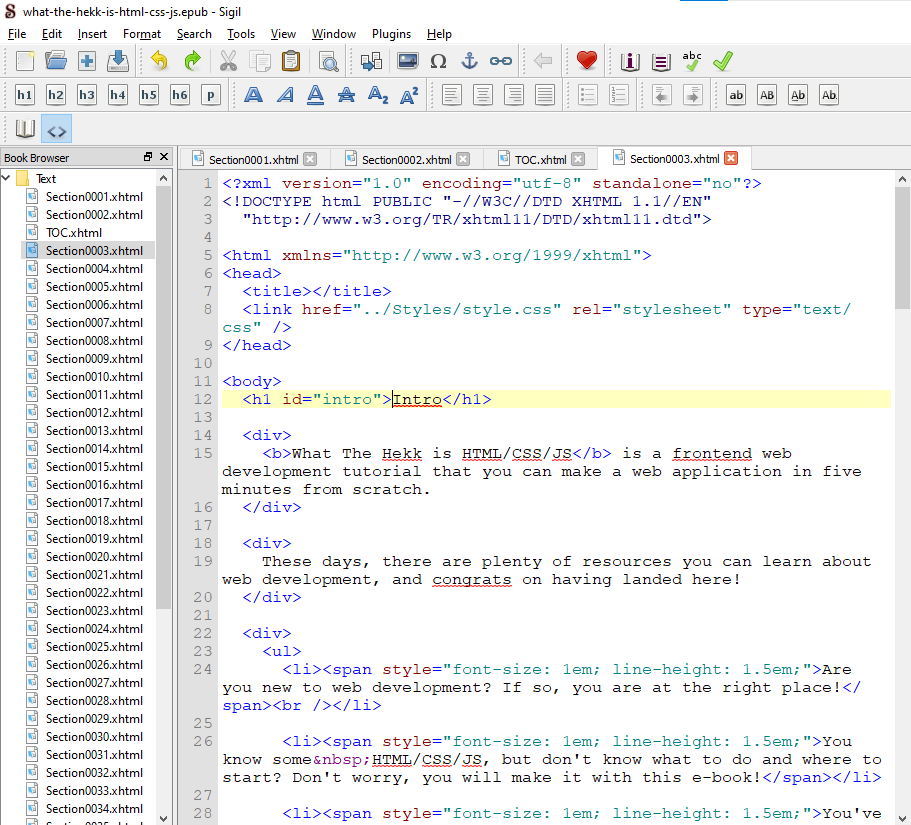
If you even know a little in HTML and CSS, Sigil or Calibre is the best one so you can efficiently edit, format, validate, and customize your manuscript as well as lessening unnecessary error by accessing HTML/CSS source code in every page directly.
image editing & design tool
What kind of image editing program are you familiar with? Photoshop, GIMP, pixlr, Snappa, or Canva?
All are amazing program specialized in image editing. However, unless you need some heavy work on images/pictures, Canva is the right tool for you.
Some use Canva for ebook editing, but many mainly use Canva for quick image design/editing.
Canva supports tons of design templates (vector, shape, frame, chart, etc), drawing, animation, effect in text/image/capture/video, etc, and all available export options in size & file type.
Just cannot believe that all those features are free! (note: Canva has a paid plan with further features as well!)
Your ebook will need some image/picture, work on it in Canva, and put it in your manuscript using Sigil, Calibre, or any ebook editing programs.
grammar & spell check
Need some grammar/spelling check real time?
Grammarly professionally does it as most of you already know, but I prefer to use Gmail which is fast and practically just OK for grammar/spelling correction, typo detection, and sentence/paragraph recommendation in one second.
Just click “Compose” in Gmail, populate your text in the email body, and that’s it!
you only need .epub (in most cases)
EPUB (.epub) is a file extension for ebooks and you don’t necessarily need any other file extension (again, in most cases).
EPUB is the most widely used and accepted file type over all major ebook publishing platforms (and you can easily convert your EPUB file to another file type).
TOC (Table of Contents)
There are two types of TOC.
- Navigation TOC that you can generate in any ebook editing software. This will be visible in any ebook viewer (Kindle, Calibre, etc) as a navigation.
- HTML TOC that you can also generate in any ebook editing software. This is a traditional TOC so called clickcable TOC that is normally placed at the beginning of document like you’ve seen in MS word or Google docs.
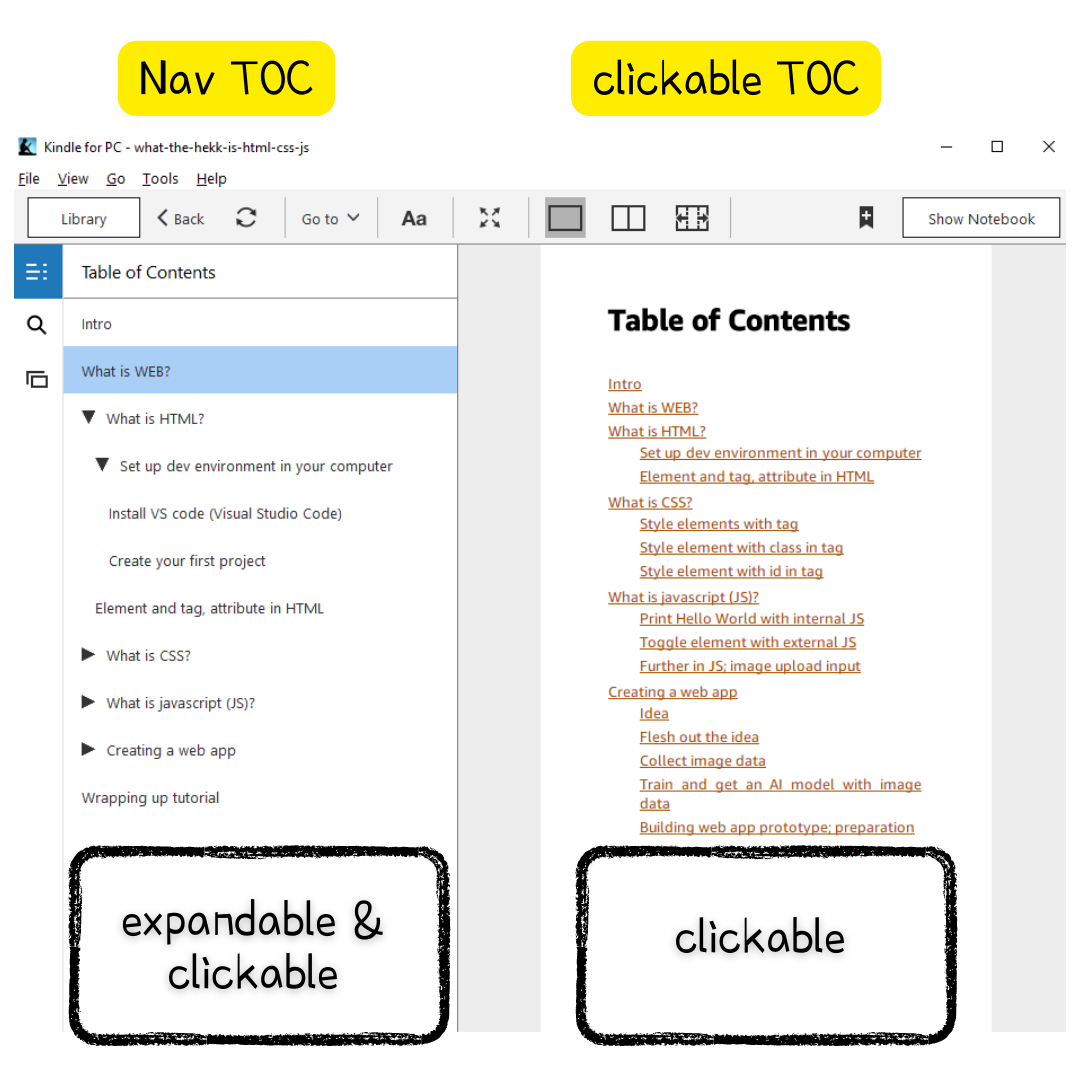 Navigation TOC VS HTML TOC
TOC must be in your published ebook, but having navigation TOC is just FINE!
Clickable TOC is, somehow, getting outdated as navigation TOC does the same thing even better.
links in ebooks
Unlike physical books, ebooks contain internal and external links readers can reference. It’s so true that links in ebooks improves reading experience, but not always. Some hassle with internal links in ebooks is that your readers could lose the original context after clicking an internal link.
One common solution is using footnote which is bi-directional hyperlinks. For example, text A[1] is linked to the footnote and the footnote is linked back to the text A. This way, readers no longer lose the original context while reading.
Some use popup note that can be popped up next to the on-clicked original context within a page.
Of course, your ebook may not have any footnote or popup note. Don’t worry too much!
Kindle app has the back button,
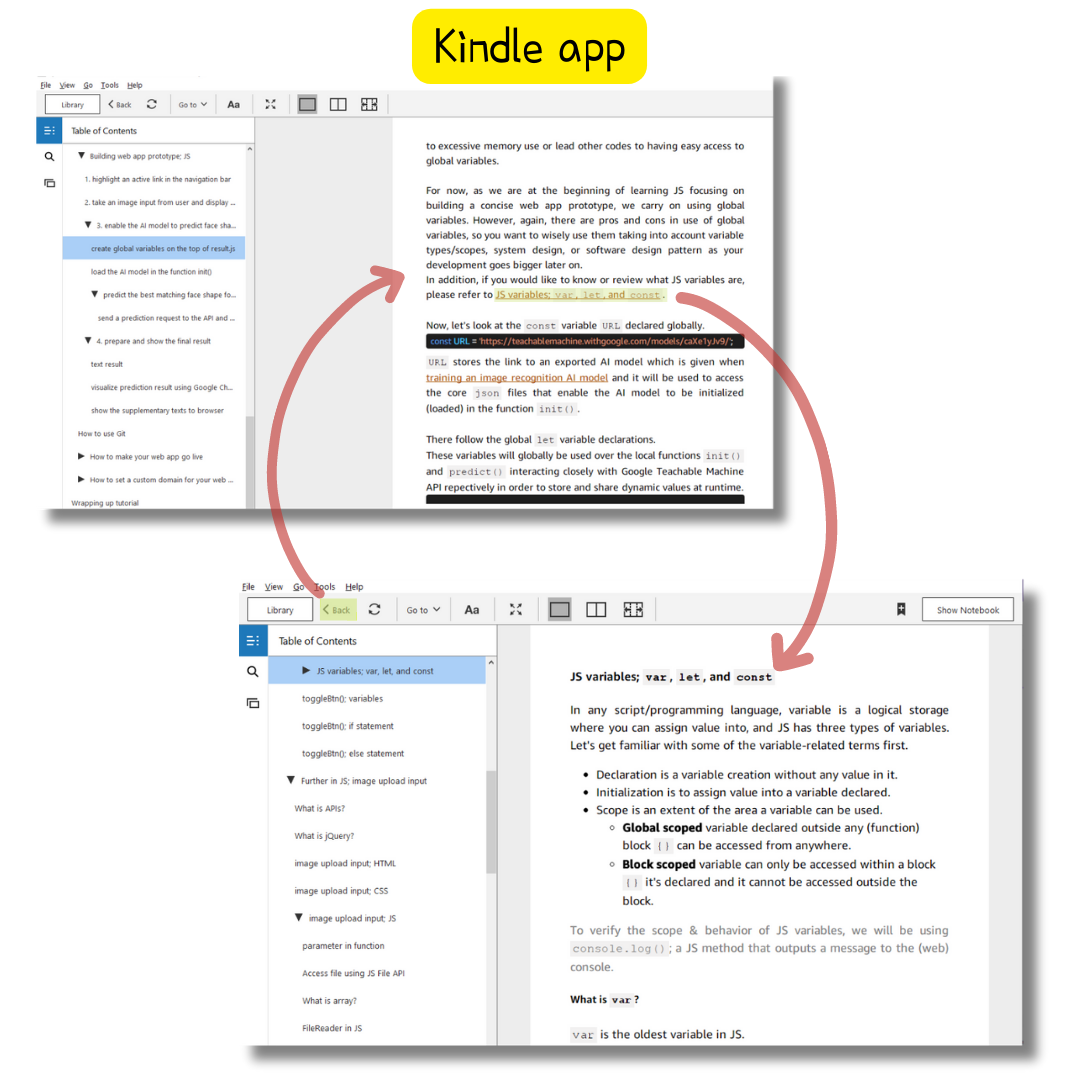 internal link & back button in Kindle app
and some of ebook viewers/readers still support the shortcut alt + ← (left/back arrow) enabling you to go back to the original context after clicking an internal link while reading.


