<h1>validate your css codes LIVE</h1>
<h1>without auto-completion</h1>

<p>
   ✔️ write css code manually!
   ✔️ example #1: type   * {color: blue;}
   ✔️ example #2: type   html {background-color: grey;}
   ✔️ example #3: type   a:hover {background-color: grey;}
   ✔️ copy & paste may not work!
   ✔️ refresh the page when your codes takes no effect.
   ✔️ simply hit enter to expand <style> editor
</p>

<h1>Heading 1</h1>

<h2>Heading 2</h2>

<h3>Heading 3</h3>

<h4>Heading 4</h4>

<h5>Heading 5</h5>


<p>
Lorem ipsum dolor sit amet, consectetur adipiscing elit, sed do eiusmod tempor incididunt ut labore et dolore magna aliqua. Ut enim ad minim veniam, quis nostrud exercitation ullamco laboris nisi ut aliquip ex ea commodo consequat. Duis aute irure dolor in reprehenderit in voluptate velit esse cillum dolore eu fugiat nulla pariatur. Excepteur sint occaecat cupidatat non proident, sunt in culpa qui officia deserunt mollit anim id est laborum Sed ut perspiciatis unde omnis iste natus error sit voluptatem accusantium doloremque laudantium, totam rem aperiam, eaque ipsa quae ab illo inventore veritatis et quasi architecto beatae vitae dicta sunt explicabo. Nemo enim ipsam voluptatem quia voluptas sit aspernatur aut odit aut fugit, sed quia consequuntur magni dolores eos qui ratione voluptatem sequi nesciunt. Neque porro quisquam est, qui dolorem ipsum quia dolor sit amet, consectetur, adipisci velit, sed quia non numquam eius modi tempora incidunt ut labore et dolore magnam aliquam quaerat voluptatem. Ut enim ad minima veniam, quis nostrum exercitationem ullam corporis suscipit laboriosam, nisi ut aliquid ex ea commodi consequatur? Quis autem vel eum iure reprehenderit qui in ea voluptate velit esse quam nihil molestiae consequatur, vel illum qui dolorem eum fugiat quo voluptas nulla pariatur.
</p>


<p>bold</p>

<p>italic</p>

<p>here's subscript</p>

<p>here's superscript</p>


<p><a#link1</a></p>

<p><a#link2</a></p>

<p><a#link2</a></p>

<p><a#link3</a></p>


<div><button </button></div>


<form>
  <label></label> <input >

  <label></label> <input >

  <input >
</form>


<div><img src="./img/1.png" ></div>
Live CSS trainer v1.0: image example


<div><img src="./img/2.png" ></div>
Live CSS trainer v1.0: image example


<div><img src="./img/3.png" ></div>
Live CSS trainer v1.0: image example


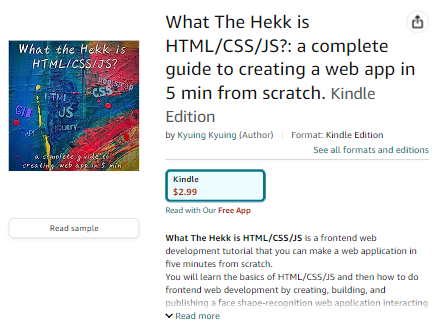
[Kindle Edition] What The Hekk is HTML/CSS/JS?
What The Hekk is HTML/CSS/JS? a complete guide to creating a web app in 5 min from scratch!


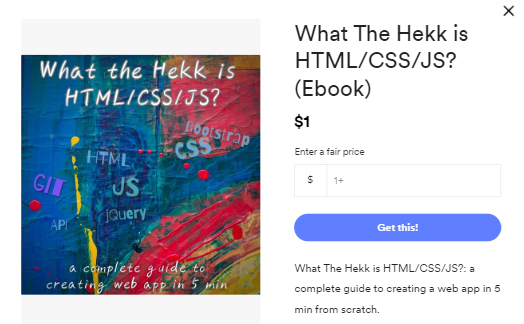
[PDF] What The Hekk is HTML/CSS/JS?
What The Hekk is HTML/CSS/JS? a complete guide to creating a web app in 5 min from scratch!
dedicated assistance to your jekyll website, blog, portfolio, or project (fiverr gig @whatthehekkist) dedicated assistance to your jekyll website, blog, portfolio, or project (fiverr gig @whatthehekkist)


What The Hekk is HTML/CSS/JS? a complete guide to creating a web app in 5 min from scratch!

Kindle Edition

What The Hekk is HTML/CSS/JS? a complete guide to creating a web app in 5 min from scratch!

PDF


You May Also Enjoy

  • Web Dev

    What are domain, nameserver, and DNS?

    2023-04-12

    # domain, nameserver, and DNS When you visit a website, there's a lot going on behind your computer until you actually view the website. In this post, you will learn the process of DNS resolution in detail and will...

  • ebook

    6 Useful Hacks for ebook Publish in 2023

    2023-07-19

    # Choose a legit ebook editing software/program If you plan to write and publish an ebook, it's best practice to pick a robust ebook editing program for your manuscript. There are plenty of ebook editing softwares/programs you can go for...

  • Web Dev

    [Gitpod] 웹에서 코딩하기

    2022-07-12

    [Gitpod](https://www.gitpod.io/)은 오픈소스 원격 개발 플랫폼이다. 이미 굉장히 많은 사용자들이 있고, 이 블로그 또한 처음부터 Gitpod 사용했다. 개인적으로 생각하는 Gitpod의 가장 큰 장점은 사용자가 본인 컴퓨터에 로컬 개발환경 세팅에 시간을 너무 많이 투자해야 할 필요가 없고, 모든 걸 Gitpod이 제공하는 원격...

  • Web Dev

    what is web and HTML/CSS/JS ?

    2023-04-19

    # What is Web? Web (World Wide Web; WWW) is a vast online information system you can write, read, watch, or consume resources such as documents, media, etc accessed by web browser on the Internet. You can think like the...

  • Web Dev

    what is if-else statement?

    2023-05-14

    if-else statement is one of the most widely used conditional statements in most programming languages to execute a certain action in (a task of) a program. # what is if statement? In JS, you can do a conditional test...

  • Web Hack

    Insert screenshot into Markdown doc in a second

    2022-07-11

    What is Markdown? Markdown is a free open-source web-focused markup language that gives you hassle-free writing experiences (indeed, once you get familiar with it). As you can so easily find many of how-to-posts on syntax, structure, and so...

  • Programming

    Image crawling with Python on Chrome browser

    2022-07-09

    Step by step insturction ## 1. Install selenium and beautiful soup on terminal ```python pip install bs4 pip install pip install selenium ``` ##...